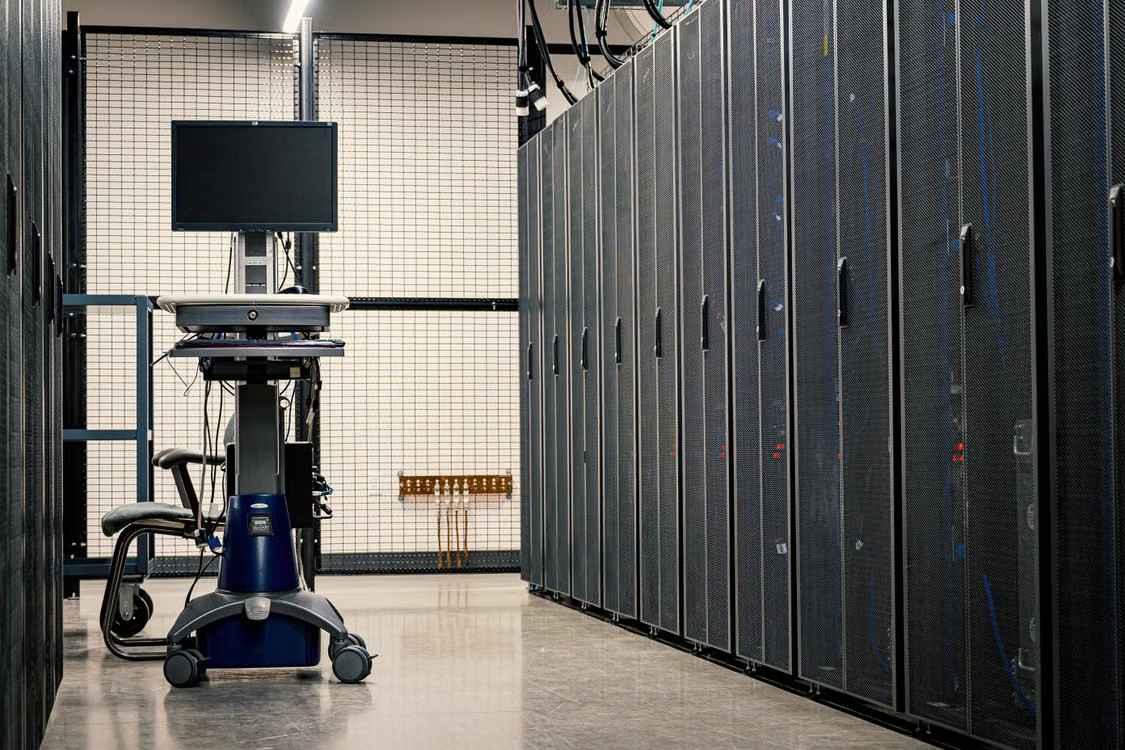
A data center runs on more than servers and switches. It runs on stable air. When temperatures climb even a few degrees outside the ideal range, the equipment inside starts working against you instead of for you.
Getting temperature control right isn't just about comfort. It's about protecting hardware, uptime, and the data your business depends on every single day.
Why Does Temperature Control for Data Centers Matter so Much?
Servers generate heat constantly, and that heat has nowhere to go unless your cooling system is doing its job. When ambient temperatures rise, processors throttle, hard drives wear faster, and the risk of unexpected shutdowns goes up.
The Cost of Getting It Wrong
An overheating data center doesn't fail gracefully. It fails suddenly, often during peak load, when you can least afford the downtime. Replacing damaged hardware is expensive, but the lost productivity and client trust that come with an outage tend to cost more.
Consistent temperature control for data centers also extends the life of your equipment. Servers that run cooler and more consistently simply last longer, which means fewer capital expenses down the road.
What Temperature Range Should You Aim For?
Most data centers operate best somewhere between 64 and 80 degrees Fahrenheit, though the exact number depends on your equipment manufacturer's specifications. Pushing temperatures too low wastes energy without adding meaningful protection. Pushing them too high shortens component lifespan instead.
Humidity Matters Too
Temperature doesn't operate in isolation. Humidity that's too low invites static discharge, which can damage sensitive electronics in an instant. Humidity that's too high creates condensation risk, particularly around cooling coils and vents. A target range of 40 to 60 percent relative humidity keeps both risks in check.
Balancing temperature and humidity together, rather than treating them as separate problems, is what separates a well-managed data center from one that's constantly chasing issues.
How Can You Improve Airflow and Cooling Efficiency?
Good airflow design does a lot of the heavy lifting before your cooling system even kicks in. Poorly arranged racks or blocked vents force even the strongest commercial HVAC equipment to work harder than it should, driving up energy costs and creating uneven temperatures across the room.
Hot Aisle/Cold Aisle Containment
Arranging server racks so cold air intake faces one direction and hot air exhaust faces another keeps the two from mixing. This containment approach lets your cooling system target the air that actually needs treatment instead of conditioning the entire room evenly, which is far less efficient.
Regular Maintenance Checks
Cooling systems lose efficiency gradually, often without an obvious warning sign. Dirty filters, low refrigerant, and worn components all reduce performance quietly until something fails. Scheduled inspections catch these issues before they turn into emergencies.
What Role Does Monitoring Play in Long-Term Reliability?
Real-time monitoring gives you visibility into what's actually happening inside your critical environment, not just what you assume is happening. Temperature and humidity sensors placed throughout the room can flag drift before it becomes a problem serious enough to affect uptime.
Automated alerts mean your team learns about a developing issue in minutes rather than discovering it after equipment has already been affected. For a business where downtime translates directly into lost revenue, that early warning window matters more than almost anything else in your cooling strategy.
How Predictive Insights Help
Predictive insights take monitoring a step further. When you track temperature and humidity trends over weeks or months instead of just watching real-time numbers, patterns start to emerge. A slow upward drift in ambient temperature might not trigger an alarm on its own, but it can point to a cooling unit that's beginning to lose efficiency well before it fails outright.
Documentation ties this all together. Detailed records of past performance, maintenance history, and system behavior give you a baseline to measure against, so you know quickly when something is off.
What Redundancy Should Be Built Into Your Cooling Setup?
A single cooling unit, no matter how well maintained, is still a single point of failure. If it goes down and nothing picks up the slack, temperatures can climb past safe levels within minutes in a densely packed server room.
N+1 Configurations
Many data centers address this with an N+1 setup, meaning at least one additional cooling unit beyond what's strictly needed to handle the current load. If one unit fails or needs servicing, the others continue carrying the workload without interruption.
Protecting What Your Business Runs On
Temperature control in a data center isn't a set-it-and-forget-it task. It requires the right equipment, thoughtful airflow design, and consistent attention over time. Businesses that treat their critical environment with this level of care tend to avoid the costly surprises that come with reactive maintenance.
ACS Services works with businesses across commercial and critical environments to keep cooling systems performing the way they're supposed to, backed by documentation you can actually point to when it matters. If your data center's temperature control could use a second set of eyes, reach out to the team and get a plan in place before a small issue becomes a big one.
FAQs: Data Center Temperature Control
What Happens If a Data Center Gets Too Hot?
Once temperatures climb past safe operating limits, hardware starts throttling performance to protect itself, and prolonged exposure accelerates component failure. In severe cases, an overheating event can force an emergency shutdown to prevent permanent damage to servers and storage.
How Quickly Can Temperatures Rise During a Cooling Failure?
In a densely packed server room, temperatures can climb to unsafe levels within minutes of a cooling system going offline. This is why redundancy and real-time monitoring matter so much, since there's often very little time to react once a failure begins.
Can You Cool a Data Center Too Much?
Yes. Running temperatures lower than necessary doesn't add meaningful protection for your equipment, but it does drive up energy costs substantially. Most manufacturers publish an acceptable operating range, and staying within it strikes the right balance between protection and efficiency.